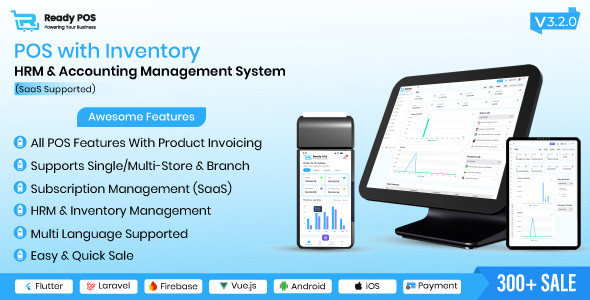
DescriptionReady POS – POS with Inventory Management System, HRM & Accounting | POS SAASReady POS Overview:Ready POS : is an all-in-one POS system for managing sales, inventory, HRM, and accounting. It features real-time tracking, SaaS-enabled tools, and separate admin and employee panels, making it ideal for efficiently handling business operations. This cloud-based solution skyrockets retail processes and helps businesses manage operations with ease. Awesome FeaturesSAAS FeatureDashboard (Click Here For Video Demo)Products (Click Here For Video Demo)Purchase (Click Here For Video Demo)Sales & Return (Click Here For Video Demo)Accounting (Click Here For Video Demo)POS Management (Click Here For Video Demo)HRM FeatureExpense (Click Here For Video Demo)People (Click Here For Video Demo)Reports (Click Here For Video Demo)Settings (Click Here For Video Demo)DashboardCash Flow chart of the last 12 months.Column chart of Sales, Purchases, and expenses of the current month.Yearly bar Chart of Sales and Purchases.Top 5 best-selling products monthly & yearly.Overview of Sale, Purchase, Purchase Due, and Profit.View Recent Transaction.Product details with lots of customization options including uploading image.Initial stock and automatic purchase.Alert Quantity.Add, edit, delete & view products and categories.Import by product and category from CSV.Print Barcodes.Pos Screen (Click Here For Video Demo)CategoryProductsOrder DiscountShipping CostOpen and Close Cash RegisterShow Bill Screen to CustomerFilter products by categoryProducts (Click Here For Video Demo)The standard system for adding products with code numbers and Service information.Product Batches and Expiry Dates feature.Product Variants with a combination of multiple variants.Product Code and Type feature.BarcodeProduct CategoryProduct Tax and Tax method (Exclusive or Inclusive)Product details with lots of customization options including uploading imageInitial stock and automatic purchaseAlert QuantityAdd, edit, delete & view products and categoriesImport by product and category from CSVPrint BarcodesPurchases (Click Here For Video Demo)Add, edit, delete & view purchases.Date-choosing option for previous purchases.Set batches and expiry dates.Set order discount.Set order tax.Set shipping costAttach document.Multiple Payments for a specific purchase (add, edit, delete).SalesAdd & view sales.Set order discount.Set order tax on both percentage and flat basis.Set shipping cost.Coupon code and discount.Unit conversion between multiple product unitsMultiple Payments for a specific sale (add, edit, delete).Take payment with cash, cheque.A4 and thermal invoice.AccountingAdd, edit, delete, deposit balance & view account holder details.Add send money transfer, delete, and view money transfer.View the balance sheet with name, account number, debit, credit, and balance.POSUser-oriented design.Create customer.Filter products by category.Display of featured products.Set order discount.Set order tax on both percentage and flat basisCoupon code and discount.Add sale, payment & staff notes.Stock TransferTransfer products between multiple warehouses.Add, edit, delete & view transfers with status.PeopleAdd, edit, delete & view users, and assign roles.Add, edit, delete & view customers.Add, edit, delete & view suppliers.Make a person both supplier and customer.ReportsSummary Report of all transactions warehouse-wise.SettingsEdit Logo, Site title.Change POS settings.Edit user profile, change password.Create roles for users.Add, edit, delete & view customer groups.Add, edit, delete & view warehouses.Add, edit, delete & view Tax rates.Add, edit, delete & view brandsAdd, edit, delete & view unitsAdd, edit, delete & view currenciesAdd, edit, delete & view custom fieldsAdd, edit, delete & view discount plans and discountsRole permissionGeneral setting

 English